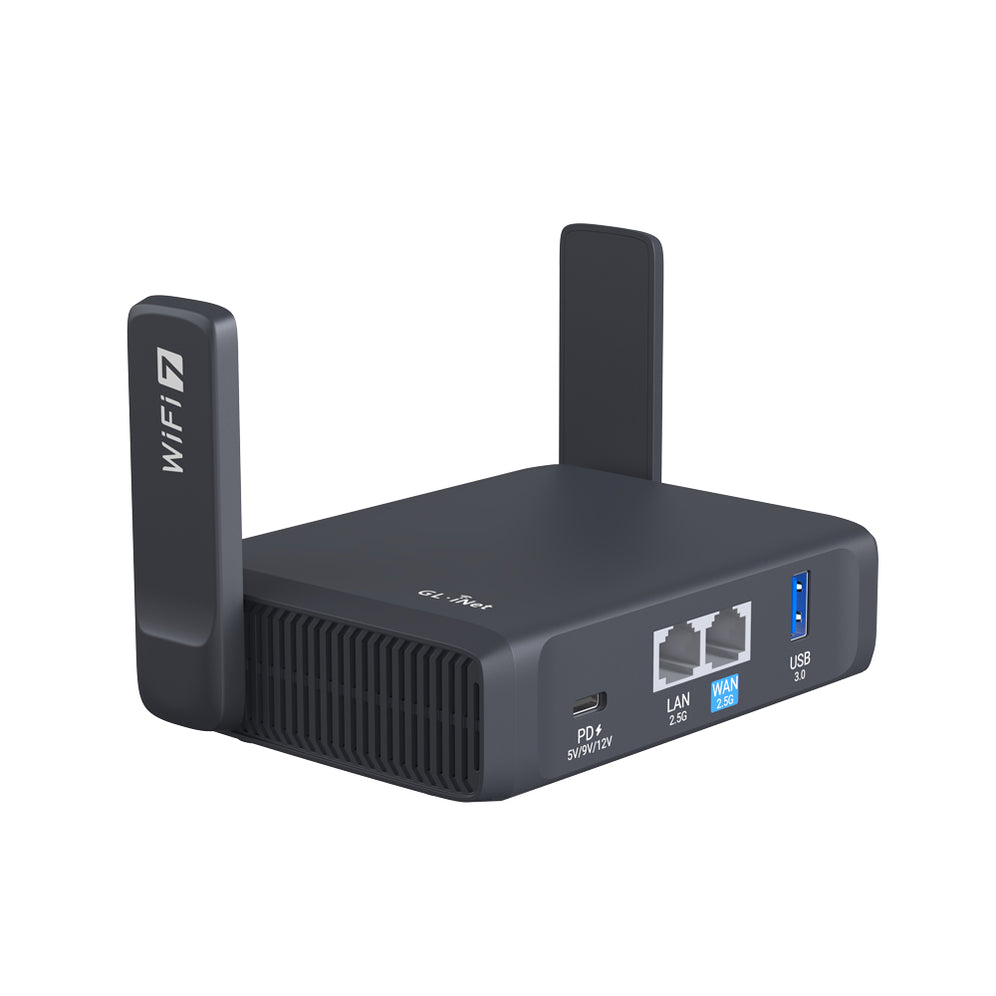
When you’re on the road, staying connected to a reliable and secure internet connection is essential. Public Wi-Fi networks, especially in hotels, often present two challenges: captive portals that require authentication and device limits that restrict how many devices can connect. GL.iNet routers are designed to overcome these barriers, allowing you to enjoy hassle-free, secure internet wherever you go.

When connecting to public Wi-Fi, your devices are exposed to numerous risks, such as man-in-the-middle attacks, MAC address spoofing, and network sniffing. A GL.iNet router adds an essential layer of protection by acting as a hardware firewall, isolating your devices from the public network. The router automatically blocks unsolicited incoming traffic, while its customizable firewall rules give you control over which connections are allowed. Although devices like iPhones randomize MAC addresses to protect against tracking, having a personal network behind a GL.iNet router adds a robust, additional safeguard.
Many public and hotel Wi-Fi setups require each device to authenticate separately, which can be cumbersome. A GL.iNet router solves this by creating a private network for all your devices, meaning you only need to log in once to the public Wi-Fi. From then on, all your devices—whether smartphones, laptops, or tablets—connect seamlessly to the internet via your router’s Wi-Fi network, eliminating the need for multiple logins. This is particular useful for those who have children with many devices because once you set the password to your router once, all devices will be immediately ready for use once repeater mode has an active WAN connection via Wi-Fi or ethernet.
Public Wi-Fi networks often use captive portals, requiring you to log in via a web page. When using a GL.iNet router, only the router needs to authenticate through the portal. Once the login is complete, all devices connected to the router bypass the portal and gain instant access. If the captive portal login page doesn’t appear immediately, a common workaround is to visit “1.1.1.1” in your browser. Additionally, certain GL.iNet routers, like the Flint (GL-AX1800) and Slate AX (GL-AXT1800), support Extensible Authentication Protocol (EAP), which is often required for connecting to networks with advanced authentication systems, such as those in some hotels, universities, or corporate environments. EAP allows for flexible authentication methods, including usernames, passwords, or certificate-based logins. However, not all GL.iNet routers support EAP, so it’s essential to check whether your model includes this feature if you plan to use it on such networks. For full list of EAP-supported models see here.
Some public networks (ex. hotels, cruise ships, etc.) limit the number of devices that can connect, but with a GL.iNet router, all your devices appear as one connection to the network. The router takes on the role of a single “client,” allowing unlimited devices to share the network without tripping device limits imposed by hotels or other providers.
Privacy-conscious users benefit from GL.iNet routers’ built-in VPN capabilities. Whether using OpenVPN, WireGuard, or other VPN services, your router encrypts traffic for every connected device. This ensures that all communications pass through the VPN tunnel, offering a consistent layer of protection against surveillance or censorship—especially critical when traveling to countries with strict internet regulations. For advanced users, setting up a VPN server at home and configuring your router to connect to it provides an even greater level of control over privacy. Others may choose to use their existing subscription to commercial VPN providers such as NordVPN, etc.
GL.iNet routers come equipped with advanced networking features, such as DHCP, DNS settings, port forwarding, and VPN policies. These features allow you to customize your setup for optimized performance, like setting specific devices to bypass the VPN for higher speeds when accessing streaming services, while keeping other devices secured. Additionally, you can enable AdGuard Home on the router to block ads and trackers across all devices.
With the option to connect via ethernet, GL.iNet routers often provide faster and more stable internet connections than public Wi-Fi, ideal for work or streaming. Having all wired connections (WAN and LAN) avoid common issues like signal interference and range limitations, ensuring a more reliable connection for activities that require stability such as remote remote desktop connections, cloud services, or VPNs. Online gaming or any low-latency activity benefits from an ethernet connection since there’s less packet loss and jitter compared to Wi-Fi.


Firewall and VPN Configuration: By default, GL.iNet routers block incoming traffic on the WAN side. However, you may also choose to pre-configure VPN settings to ensure your network remains secure and encrypted. It’s advisable not to upgrade the firmware while traveling to avoid any potential configuration issues.
Make your travels stress-free with GL.iNet. Whether you’re managing multiple devices, boosting your privacy, or ensuring stable access for work and entertainment, GL.iNet routers have you covered.

Adam, a Virginia native with a passion for international travel, holds an Electrical Engineering degree from Virginia Tech. He is a Community Specialist at GL.iNet, creator of The Wired Nomad—a resource for digital nomads—and works full-time for the world’s largest satellite operator. Connect with him on his website.
{"one"=>"Wählen Sie 2 oder 3 Artikel zum Vergleichen aus", "other"=>"{{ count }} von 3 Elementen ausgewählt"}
Wählen Sie das erste zu vergleichende Element aus
Wählen Sie das zweite zu vergleichende Element aus
Wählen Sie das dritte Element zum Vergleichen aus